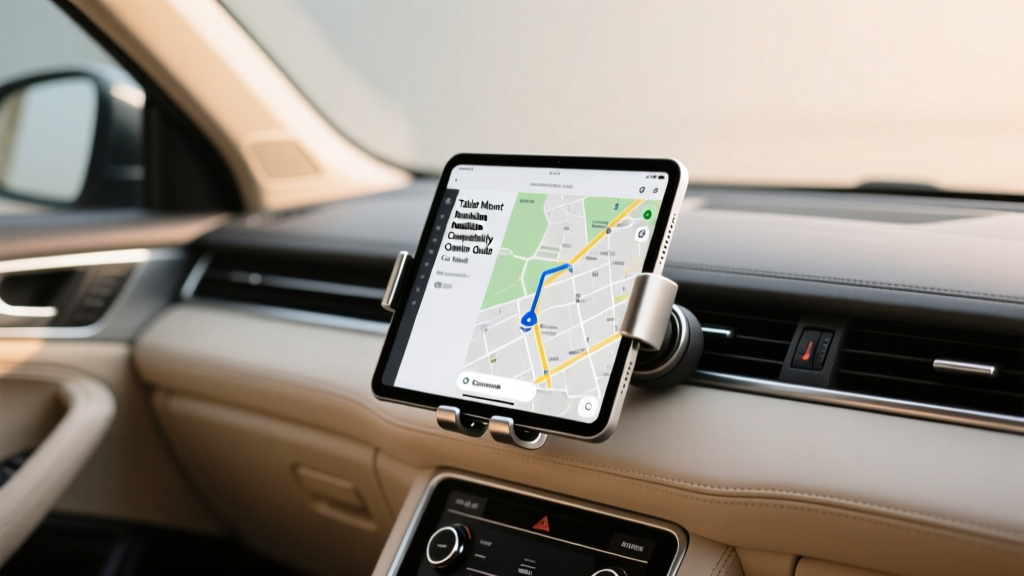
Tablet Mount Compatibility by Car Model (2026)
A well-installed tablet mount can transform your cabin. For families, it turns long trips into calmer trips with back-seat entertainment. For commuters and rideshare drivers, it can streamline navigation, dispatch apps, and music controls. For weekend adventurers, it?s a smarter way to keep maps and trail apps visible without fumbling with a phone.
But tablet mounts are also one of the easiest accessories to get wrong. The wrong mount can block airbags, wobble on rough roads, damage trim, or sit too low to be useful. Compatibility isn?t just ?will it fit???it?s about your car?s dashboard design, vent style, headrest post spacing, seat layout, and where power outlets and USB ports actually live. This guide breaks down the most common car interiors by model category and shows you how to choose and install a mount that?s secure, safe, and genuinely convenient.
Before You Buy: Measure and Identify Your Cabin?s Mounting ?Zones?
Tablet mounts generally fall into four placement zones. Knowing which zones your car supports will narrow choices fast.
- Windshield/dash zone (front use): Best for navigation and work apps (when parked). Requires stable glass/dash surface and careful sightline planning.
- Air vent zone (front use): Quick install, but many vents can?t support a tablet?s weight.
- CD slot zone (front use, older vehicles): Surprisingly stable in many cars with a centered CD slot.
- Headrest zone (rear-seat entertainment): Most universal and safest for family use; depends on headrest post style and spacing.
Quick Compatibility Checklist (Do This in 3 Minutes)
- Measure tablet + case: Note width/height and weight. A 10?11" tablet in a rugged case may be too heavy for vent mounts.
- Check headrests: Are they removable with exposed metal posts (best), or integrated (harder)? Measure post spacing (center-to-center).
- Look at vents: Horizontal slats are better than circular ?turbine? vents for stability. Weak or thin slats are a red flag for tablets.
- Find a power plan: Locate USB-C/USB-A ports and 12V outlets. Rear USB ports make headrest setups much cleaner.
- Airbag awareness: Identify A-pillar, steering wheel, dash, and seat-mounted airbags. Avoid mounting in their deployment paths.
Tablet Mount Types and Where They Work Best
1) Headrest Tablet Mounts (Most Car-Model Friendly)
Best for: SUVs, minivans, sedans, and most vehicles with removable headrests. Great for kids? entertainment and long trips.
Typical compatibility: High, as long as you have two metal headrest posts and enough clearance.
- Clamp-style post mounts: Clamp onto one or both headrest posts. Look for soft-touch pads to avoid scratching.
- Bridge-style mounts: Span between two posts for maximum stability and a centered screen position.
- Gooseneck headrest mounts: Flexible positioning, but can wobble more on rough roads.
2) CD Slot Tablet Mounts (Great for Older Sedans and Crossovers)
Best for: Cars with a centered, unused CD slot and a solid dash structure (common in many 2010s models).
Typical compatibility: Medium to high, depending on slot location and dash angle.
These mounts can be more stable than vent mounts for tablets because the slot provides a firm anchor point. They?re less ideal if your CD slot is low (tablet may block climate controls) or if your dash design positions the slot at an awkward angle.
3) Windshield/Dash Suction Tablet Mounts (Choose Carefully)
Best for: Larger dashboards with flatter mounting areas, vehicles with steep windshields where the tablet won?t interfere with visibility.
Typical compatibility: Medium; performance depends heavily on dash material/texture and temperature swings.
Look for high-quality suction cups with locking levers and consider models that include a dash pad. For heavy tablets, prioritize a shorter arm over a long extension to reduce wobble.
4) Air Vent Tablet Mounts (Only for Specific Vent Designs)
Best for: Light tablets (7?8") and vehicles with robust, horizontal slat vents.
Typical compatibility: Low to medium for full-size tablets, especially in hot climates where plastic vents soften.
If your car uses circular ?turbine? vents (common in some Mercedes and Audi designs), tablets often rotate or sag. For 10?13" tablets, vent mounts are usually a compromise.
Compatibility Guide by Car Model Category (With Real-World Fit Notes)
Instead of listing every single model year, this section groups cars by the interior features that matter for installation. Use the category that matches your cabin layout.
Category A: Family SUVs and Minivans (Honda Pilot/Odyssey, Toyota Highlander/Sienna, Kia Telluride/Carnival)
Best mount choice: Headrest bridge-style mounts
Why it works: These vehicles usually have removable headrests with exposed posts and good rear charging options.
Real-world example: A Sienna or Odyssey with rear USB ports makes a clean setup: a bridge mount centered between headrest posts plus a short USB-C cable routed along the seat back.
- Watch for: Second-row captain?s chairs (you?ll mount per seat), and integrated entertainment systems that already occupy the ideal screen zone.
- Tip: If kids kick the seat, choose a mount with a rigid bridge rather than a gooseneck.
Category B: Mainstream Sedans (Toyota Camry, Honda Accord, Hyundai Sonata, Nissan Altima)
Best mount choices: CD slot mounts (front) or headrest mounts (rear)
Why it works: Many sedans have a reasonably centered CD slot and traditional headrests with posts.
- Watch for: Low-mounted CD slots that place a tablet directly over HVAC controls.
- Tip: If your center stack is crowded, a headrest mount for rear passengers is often the better ?daily driver? solution.
Category C: Compact Cars and Hatchbacks (Honda Civic, Toyota Corolla, Mazda3, VW Golf)
Best mount choices: Headrest mount, compact windshield mount, or a robust CD slot mount if positioned high
Why it works: Cabin space is tighter; you?ll want minimal protrusion and careful sightline management.
- Watch for: Short dashboards that force suction mounts too close to your face or block the road view.
- Tip: For front placement, choose a short-arm suction mount and position it low and centered, without blocking gauges.
Category D: Trucks (Ford F-150, Chevy Silverado, Ram 1500, Toyota Tacoma/Tundra)
Best mount choices: Dash/windshield mounts with short arms, or seat-rail/bolted systems for work use (when appropriate)
Why it works: Big cabins and upright glass can support sturdy mounts, but vibration can be higher depending on tires/suspension.
- Watch for: Wobble from long-armed mounts on rough roads.
- Tip: If you drive job sites or gravel, prioritize mounts with metal arms, multiple pivot locks, and a deep tablet cradle.
Category E: EVs and Minimalist Dashboards (Tesla Model 3/Y, Polestar 2, newer Volvo and Hyundai/Kia EVs)
Best mount choices: Headrest mounts for rear; for front, consider purpose-built dash mounts designed for your model
Why it works: Many EV cabins reduce traditional mounting points (fewer physical buttons, unique vent designs, and large center screens).
- Watch for: Vent-mounted options that don?t grip well on slim or hidden vents.
- Tip: If your vehicle already has a large center display, a tablet up front can be redundant. Rear headrest mounting is usually the best value.
Category F: Luxury Cars with Turbine Vents and Curved Dash Trim (Mercedes-Benz, Audi, BMW in certain trims)
Best mount choices: Headrest mounts, CD slot (if available), or model-specific dash mounts
Why it works: Many luxury interiors use circular vents and delicate trim that doesn?t love clamps or suction pads.
- Watch for: Suction pads leaving marks on soft-touch dash materials, and vent mounts rotating on round vents.
- Tip: Choose mounts with rubberized contact points and avoid overtightening anything against piano-black trim.
Category G: Sports Cars and Small Coupes (Mustang, Camaro, BRZ/GR86, Miata)
Best mount choices: Compact suction mounts (front) or none; rear mounting may not be practical
Why it works: Limited cabin space and steep rakes make tablet placement tricky.
- Watch for: Blocking short sightlines and interfering with shifting/controls.
- Tip: If you need a tablet, consider using it parked only and choose a quick-release mount so it?s easy to remove.
Step-by-Step: Installing the Most Popular Tablet Mount Styles
How to Install a Headrest Bridge-Style Tablet Mount
- Adjust seat position first: Set the front seat where it will normally be used. This prevents the tablet from ending up too close to the rear passenger?s face.
- Measure headrest post spacing: Compare to the mount?s supported range (many cover roughly 4.7?7.1 inches center-to-center, but check the product listing).
- Loosen the bridge clamp: Slide it onto the two posts. Keep padding aligned to avoid scratching.
- Center and level the mount: A slightly tilted mount causes glare and makes touch inputs awkward.
- Tighten evenly: Alternate sides as you tighten so the bridge doesn?t twist.
- Secure the tablet: Confirm the cradle grips the corners firmly, especially if the tablet is in a case.
- Route charging safely: Run the cable along the seat seam or behind the seatback where possible. Avoid dangling cords near feet.
Pro tip: If your mount includes a safety strap, use it. It?s cheap insurance if a passenger bumps the tablet during entry/exit.
How to Install a CD Slot Tablet Mount
- Clean around the CD slot: Dust can reduce grip and cause squeaks.
- Insert the mount?s blade: Slide it straight in?don?t force it at an angle.
- Tighten until snug: Stop when the mount no longer wiggles. Overtightening can stress the slot mechanism.
- Attach the tablet cradle: Aim to keep it as close to the dash as possible for stability.
- Test controls access: Turn on HVAC, change volume, and ensure you?re not blocking hazard lights.
How to Install a Windshield/Dash Suction Tablet Mount
- Pick the right surface: Smooth glass is best. For dashboards, use a quality dash pad if the texture is grainy.
- Clean with isopropyl alcohol: Oils reduce suction strength.
- Warm the suction cup slightly (optional): In cold weather, warming improves seal.
- Press and lock: Apply firm pressure and engage the locking lever.
- Set arm length short: Extend only as needed to reduce bounce.
- Perform a shake test: With the tablet mounted, gently shake the arm. If it flexes easily, reposition closer or choose a more rigid mount.
Product Recommendations: What to Look For (Without Chasing Hype)
Instead of chasing brand names, focus on features that match your car model and use case.
Best for Rear-Seat Entertainment (Most Vehicles)
- Bridge-style headrest mount with:
- Wide post spacing range
- 360-degree rotation with a firm detent
- Thick silicone padding on clamps
- Deep, spring-loaded cradle that accommodates cases
Best for Front Use in Older Cars
- CD slot mount with:
- Metal reinforcement in the mounting blade
- Short, rigid arm
- Independent tilt and swivel locks
Best for Work Trucks and High-Vibration Driving
- Heavy-duty dash/windshield mount with:
- Locking suction mechanism
- Multiple tightening points (not just a single ball joint)
- Optional tether strap
Common Mistakes to Avoid
- Mounting over an airbag zone: Avoid A-pillar areas, passenger dash airbag panels, and seat-mounted airbag seams. If the mount sits where an airbag would deploy, choose a different location.
- Trusting a vent mount for a heavy tablet: Even if it ?fits,? it may sag over time, crack a slat, or block airflow when you need it most.
- Ignoring glare: A perfectly secure mount can still be frustrating if sunlight makes the screen unreadable. Test portrait vs. landscape and adjust tilt.
- Overtightening clamps: This can deform plastic trim, damage CD slot mechanisms, or leave permanent marks on headrest posts.
- Bad cable routing: Loose charging cables near pedals or feet are a safety hazard. Use clips or tuck cables along seams.
- Blocking essential controls: Hazard button access matters. So does HVAC and defrost?especially in winter.
FAQ: Tablet Mount Installation and Compatibility
Will a tablet mount damage my dashboard or vents?
It can. Vent mounts can stress slats, and suction mounts can leave marks on soft-touch dashboards. If you?re worried about preserving interior materials, choose a headrest mount or use a dash pad designed for suction cups.
Are headrest mounts universal across car models?
They?re the closest thing to universal, but not guaranteed. Vehicles with integrated headrests (no exposed posts) need alternative solutions, and some headrests have unusually wide/narrow post spacing. Measure before you buy.
What?s the safest place for a tablet in the front seat area?
For most vehicles, a low, centered position that doesn?t block your view, gauges, or airbags is safest. Many drivers find a CD slot mount (when available) more stable and less intrusive than a windshield mount.
Can I use a tablet mount with a thick protective case?
Yes, if the cradle supports the tablet?s total thickness and still grips securely. Look for adjustable cradles with deep corner hooks. If the case is very bulky, a strap-assisted cradle is a safer choice.
Why does my tablet mount wobble even when tightened?
Common causes include an arm that?s too long, a single ball-joint design bearing too much leverage, or a mounting surface that flexes (some dashboards). Shorten the arm, tighten secondary joints, or switch to a more rigid mount style like a bridge headrest mount.
Do I need a special mount for iPads vs. Android tablets?
Usually no?compatibility is about size and weight, not operating system. Just confirm the cradle range matches your tablet?s dimensions, especially if you?re using a keyboard case or rugged cover.
Wrap-Up: Choose the Mount That Matches Your Car, Not Just Your Tablet
Start by deciding where the tablet will live: front for navigation/work (often best with CD slot or sturdy suction setups), or rear for passengers (almost always best with a headrest bridge mount). Then match the mount style to your car?s interior design?vent type, headrest posts, dashboard texture, and charging locations matter more than most shoppers expect.
Next steps:
- Measure your headrest post spacing and check whether headrests are removable.
- Identify your best mounting zone (headrest, CD slot, windshield/dash, or vent).
- Choose a mount with the right stability features for your driving conditions.
- Install it, run a shake test, and confirm you haven?t blocked airbags or key controls.
Want more practical interior setup tips? Explore more guides and compatibility articles at carinteriormix.com.