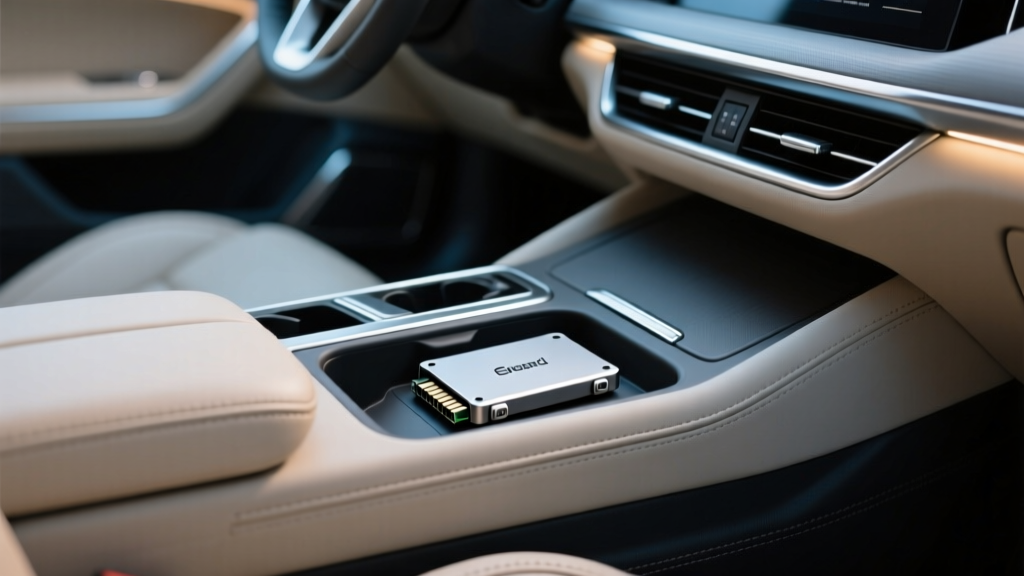
SSD Storage Case Compatibility by Car Model (2026)
Solid-state drives (SSDs) are one of the best upgrades you can add to a daily-driven vehicle setup?whether you?re recording 4K dash cam footage, keeping a lossless music library offline, storing overland maps, or carrying diagnostic logs from a scan tool. The catch: SSDs and cars don?t naturally ?agree? on environment. Heat, vibration, dust, cables, and mounting locations can turn a reliable drive into a frustrating weak link if you choose the wrong storage case or install it poorly.
This guide breaks down SSD storage case compatibility by car model categories and interior layouts, with practical mounting ideas and product-style recommendations. You?ll learn what to look for in a case (thermal design, shock protection, power/data routing), where to place it, and how to avoid common mistakes that lead to corrupted recordings or intermittent disconnects. Think of this as the interior-focused ?fitment chart? for SSD cases?because in a car, fitment is about space, access, airflow, and cable management, not just drive dimensions.
Whether you drive a Toyota Prius, a Ford F-150, a Tesla Model 3, a Subaru Outback, or a BMW 3 Series, you?ll find a setup that stays secure, stays cool, and stays readable.
What ?Compatibility? Means for SSD Storage Cases in Cars
SSD storage case compatibility isn?t just ?Will my SSD fit inside the enclosure?? In automotive use, compatibility includes how the case behaves in a vehicle interior and how well it integrates with your power and data source (head unit, dash cam, laptop, or USB hub).
Core fitment factors
- SSD form factor: 2.5-inch SATA SSD, M.2 NVMe (2280 most common), or M.2 SATA.
- Interface to the car device: USB-A, USB-C, micro-USB (older dash cams), or direct SATA (rare in vehicles).
- Thermal management: Aluminum body, thermal pads, venting strategy, and whether the case becomes a heat sink or a heat trap.
- Vibration and shock tolerance: Rubber bumpers, foam cradles, tight internal clamping, and strain relief for the cable.
- Interior mounting realities: Glovebox shape, center console depth, under-seat clearance, and whether the port is reachable without pinching cables.
Use-case ?compatibility? questions to ask
- Is this for a dash cam SSD (continuous writes, heat) or a music/media SSD (frequent reads, occasional writes)?
- Will it live in a glovebox USB port or a center console near passengers?
- Do you need tool-free access to remove the drive quickly (for footage review), or is a semi-permanent mount better?
Pick the Right SSD Case Type (Quick Compatibility Cheat Sheet)
Best enclosure styles for car interiors
- Rugged aluminum NVMe enclosure (USB-C, 10Gbps): Great for dash cam and high bitrate video; good heat shedding.
- Compact SATA 2.5" enclosure (USB-A or USB-C): Often runs cooler and can be more stable for long recordings.
- Tool-free enclosures: Convenient, but check that the latch won?t pop open from vibration.
- IP-rated rugged cases: Helpful for off-road rigs where dust and moisture are common.
Real-world recommendation logic (not brand hype)
- If your SSD enclosure gets hot to the touch in a parked car, choose a metal case with a thermal pad and mount it out of direct sun.
- If your drive disconnects over bumps, prioritize a case with solid port reinforcement and use a short, high-quality cable.
- If you?re using it for dash cam, aim for a setup that supports consistent sustained writes and avoids USB hubs that randomly sleep.
Compatibility Guide by Car Model Category (Where It Fits Best)
Rather than listing every trim and year, this section maps the most common interior layouts and USB port locations to SSD case styles that work well. Use your model as a match to the category.
Tesla Model 3 / Model Y (and other minimalist EV cabins)
Typical use: TeslaCam/Sentry Mode recording, music library.
Best locations: Glovebox USB (Model Y/3), center console area.
- Recommended case type: Compact aluminum NVMe enclosure or compact SATA enclosure.
- Mounting tip: Use low-profile adhesive Velcro inside the glovebox so the cable doesn?t bend sharply when the door closes.
- Real-world example: A small aluminum enclosure with a short USB-C cable reduces glovebox clutter and prevents the plug from being bumped by documents.
Toyota Prius / Corolla / Camry (and many Toyota/Lexus sedans)
Typical use: Offline music, CarPlay/Android Auto storage, occasional file transfers.
Best locations: Center console bin USB port, under-armrest storage.
- Recommended case type: Slim SATA 2.5" enclosure (USB-A if that?s what your port supports) or a compact NVMe case with USB-A adapter.
- Mounting tip: Avoid loose placement where the enclosure slides?use a rubber mat or a small foam wedge.
- Compatibility note: Some older Toyota USB ports are picky about power draw; SATA enclosures often behave better than power-hungry NVMe setups.
Honda Civic / Accord / CR-V (high-traffic console layouts)
Typical use: Music library, phone backups, dash cam file offload.
Best locations: Center console, forward cubby by USB ports.
- Recommended case type: Rugged compact enclosure with reinforced port and a grippy exterior.
- Mounting tip: Route the cable so it doesn?t sit in the ?cupholder splash zone.?
- Real-world example: If the console bin is shallow, a short enclosure prevents the lid from pressing against the cable connector.
Ford F-150 / Super Duty / Ranger (trucks with large storage and more vibration)
Typical use: Work files, overlanding maps, dash cam footage, fleet logs.
Best locations: Center console vault, behind rear seat (if protected), under-dash accessory panel.
- Recommended case type: Rugged, shock-resistant enclosure with strain relief; consider IP-rated if you off-road.
- Mounting tip: In a big console, use a dedicated pouch or organizer so the SSD doesn?t get crushed by tools.
- Compatibility note: Trucks see more vibration; choose a case that clamps the SSD tightly and avoid flimsy tool-free lids.
Jeep Wrangler / Gladiator (off-road, dust, open-air potential)
Typical use: Trail maps, action cam transfers, dash cam storage.
Best locations: Locking center console, under-seat lockbox, sealed glovebox organizers.
- Recommended case type: Rugged enclosure, ideally with dust resistance and a tight port fit.
- Mounting tip: Keep it away from floor-level moisture and use a cable with a snug connector (wobbly USB plugs cause disconnects).
- Real-world example: If you frequently remove doors/roof, treat your SSD like camera gear?store it in a padded, closed compartment.
Subaru Outback / Forester / Crosstrek (adventure daily drivers)
Typical use: Road trip music, dash cam storage, camping/offline maps.
Best locations: Center console, glovebox, rear cargo side cubbies (only if temperature stable).
- Recommended case type: Aluminum enclosure with good heat dissipation.
- Mounting tip: Don?t mount the SSD directly above HVAC ducts blasting heat; warm air plus sustained writes can throttle NVMe drives.
BMW 3 Series / Audi A4 / Mercedes C-Class (premium sedans with tight compartments)
Typical use: Music library, diagnostic logs, infotainment media storage.
Best locations: Armrest console storage, glovebox (often tighter), media port bay.
- Recommended case type: Slim, premium-feeling aluminum enclosure with rounded edges to avoid rattles.
- Mounting tip: Use a very short cable and a right-angle adapter if the port is recessed?this prevents connector stress when the lid closes.
- Compatibility note: Some infotainment systems are finicky about drive formatting; keep the SSD dedicated to one purpose (media vs recording) when possible.
Step-by-Step: How to Choose and Install an SSD Case in Your Car
Step 1: Identify your SSD type and your car?s port
- Check whether your SSD is M.2 NVMe, M.2 SATA, or 2.5-inch SATA.
- Check your vehicle/device port: USB-A or USB-C.
- Confirm your use case: dash cam recording (write-heavy) or media playback (read-heavy).
Step 2: Choose an enclosure built for heat and movement
- Prefer aluminum enclosures for better heat dissipation.
- Look for a case that includes a thermal pad (especially for NVMe).
- Avoid enclosures with loose-fitting ports?that?s where disconnects begin.
Step 3: Pick a mounting location that won?t cook the drive
- Start with the glovebox or center console (most stable temps and least UV exposure).
- Avoid the top of the dashboard, windshield corners, or any spot in direct sun.
- Keep it away from feet, drinks, and moving seat rails.
Step 4: Cable selection and routing (this matters more than people think)
- Use a short cable (6?12 inches is often perfect).
- Choose a cable rated for USB 3.1/3.2 if you?re using a 10Gbps enclosure.
- Add strain relief: a small adhesive clip or a gentle loop so the plug isn?t bearing tension.
Step 5: Format and test before relying on it
- Format based on device requirements:
- Dash cams: often require exFAT or FAT32 (varies by model).
- Infotainment media: exFAT is commonly supported; some systems prefer FAT32.
- Do a 30?60 minute test:
- Drive over rough roads.
- Let the car sit warm (safely) and re-check recognition.
- Confirm files are readable on a computer.
Product-Style Recommendations: What to Look for (and Why)
Carinteriormix.com stays focused on practical fitment and interior usability. Here are enclosure ?profiles? that consistently work well inside vehicles:
1) Rugged aluminum NVMe enclosure (USB-C, 10Gbps)
- Best for: TeslaCam/Sentry, high-bitrate multi-channel dash cams, fast laptop transfers.
- Look for: Included thermal pad, screw-secured body, textured exterior, tight USB-C port.
- Trade-off: Can run warmer than SATA; placement and airflow matter.
2) Slim 2.5-inch SATA enclosure (USB-A or USB-C)
- Best for: Stable long recording sessions, older USB-A ports, consistent compatibility.
- Look for: Solid internal retention, minimal flex at the connector, low power draw.
- Trade-off: Larger footprint than M.2 options.
3) IP-rated rugged enclosure (dust/splash resistant)
- Best for: Jeeps, trucks, off-road builds, work vehicles.
- Look for: Sealed seams, port cover design that doesn?t interfere with cable fit, grippy shell.
- Trade-off: Bulkier, sometimes slightly worse heat dissipation if heavily sealed.
Common Mistakes to Avoid
- Mounting the SSD where the sun hits it. A black aluminum enclosure on a dash can become a mini hot plate.
- Using a long, cheap USB cable. Voltage drop and weak connectors cause random disconnects and corrupted files.
- Letting the enclosure slide around. Even if it ?works,? constant impacts stress the port and internal board.
- Assuming any enclosure is fine for dash cam recording. Continuous writes generate heat and expose weak power stability.
- Ignoring formatting requirements. The drive can show up but fail to record or index media if the filesystem isn?t supported.
- Overstuffing the compartment. A glovebox packed with manuals can press on the connector and bend it over time.
Practical Tips for Long-Term Reliability
- Keep it dedicated: If your SSD is for dash cam, don?t also use it as a random file dump. Cleaner structure, fewer surprises.
- Check heat after your first week: Touch the enclosure after a drive. Warm is normal; too hot to hold means re-locate it.
- Add a small ?service loop? in the cable: A gentle bend prevents sudden tugs from translating into port damage.
- Use a right-angle adapter when needed: Especially in gloveboxes where the door closes close to the connector.
- Secure with removable mounting: Industrial Velcro or 3M-style dual-lock strips help without permanently modifying interior panels.
FAQ: SSD Storage Case Compatibility for Cars
Will any SSD enclosure work for a dash cam?
No. Dash cams can write continuously for hours, which creates heat and exposes power/cable weaknesses. Choose an enclosure with good thermal design and a secure port fit, and use a short, quality cable.
Is NVMe or SATA better for car use?
For pure speed, NVMe wins. For consistent behavior and often lower heat, SATA can be a better fit?especially in older vehicles with weaker USB power or infotainment systems that are picky about devices.
Where is the safest place to mount an SSD enclosure in most cars?
The glovebox or center console is usually best: stable, shaded, and protected. Avoid the dashboard, windshield areas, and floor-level spots where moisture and kicks happen.
Do I need a rugged or waterproof SSD case?
If you drive off-road, carry wet gear, remove doors/roof (Wrangler-style), or regularly have dusty interiors, a rugged case is a smart upgrade. For normal commuting, a solid aluminum enclosure and good mounting is typically enough.
Why does my SSD disconnect when I hit bumps?
Common causes are a loose USB connector, a long/low-quality cable, or an enclosure that?s sliding and tugging the plug. Shorten the cable, add strain relief, and secure the enclosure so it can?t move.
What file format should I use?
It depends on the device reading it. Many infotainment systems and dash cams support exFAT, while some require FAT32. Check your device manual, then test with a short recording or media scan before you rely on it.
Next Steps: Make Your SSD Setup Car-Proof
Start by identifying your SSD type and your vehicle?s USB port, then choose a case built for heat and vibration. Mount it in a shaded, stable compartment, use a short high-quality cable, and run a real test drive before you trust it with important footage or files. Small details?like strain relief and avoiding sun exposure?make the difference between a setup that ?works today? and one that works for years.
For more interior-focused guides, storage ideas, and practical upgrades, explore the latest articles on carinteriormix.com.