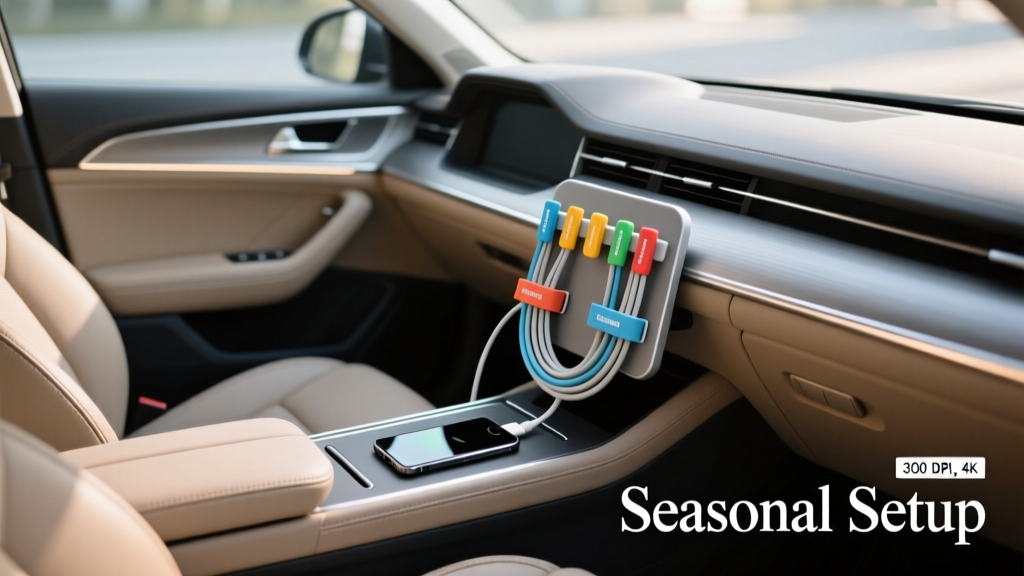
Cable Organizer for Car Interior (2026)
If you?ve ever reached for a charging cable in your car and found a tangled mess under the seats, you already know the problem isn?t ?just clutter.? Loose cords can snag pedals, get pinched in seat rails, yank ports loose, or simply wear out faster from constant bending and temperature swings. A smart cable organizer setup keeps your interior cleaner, protects your gear, and makes everyday driving more convenient.
Seasonal changes make cable management even more worth doing. Summer heat can soften adhesives, warp cheap plastics, and bake cable jackets until they crack. Winter cold can make cords stiff and brittle, while moisture and road salt tracked into the cabin can corrode connectors. Treating your cable setup like any other seasonal car interior care task?similar to switching floor mats or conditioning leather?helps it last longer and work better when you need it.
This guide breaks down a season-by-season approach to organizing and protecting charging cords, AUX cables, dash cam wiring, and accessory leads. You?ll get step-by-step setup instructions, product comparisons, common mistakes to avoid, and a checklist you can repeat every few months.
Why Seasonal Cable Organization Matters in a Car
Safety and distraction reduction
A clean cable route keeps cords away from:
- Pedals and footwells (a real safety hazard)
- Shifter movement and handbrake mechanisms
- Driver?s legs and steering column area
- Seat tracks where cables can get sliced or pinched
Protecting your devices and vehicle ports
When a cable is constantly yanked, bent at sharp angles, or slammed in a console lid, you risk:
- Loose USB ports in the car (expensive to repair on some models)
- Intermittent charging or data dropouts (especially with CarPlay/Android Auto)
- Frayed cable ends and damaged connector housings
Seasonal stress: heat, cold, and humidity
Cars are harsh environments. Cabin temps can spike well above outdoor temperature in summer. In winter, plastics and cable jackets stiffen, which makes tight bends more likely to crack. Seasonal planning helps you choose mounting methods and cable materials that won?t fail when conditions change.
Know Your Cable Types (And What They Need)
Charging and data cables
- USB-C (most modern phones): prefers gentle bends and quality connectors.
- Lightning (many iPhones): can be sensitive to knockoff connectors; strain relief matters.
- USB-A to USB-C/Lightning: common in older vehicles.
Accessory and permanent installs
- Dash cam power wires: often routed along A-pillars/headliners; must be secured and kept away from airbags.
- Radar detector leads: best managed with short runs and tidy mounting.
- 12V accessory cords: air pumps, coolers, tire inflators?usually thicker and need heavier-duty clips.
Audio cables
Aux cables and adapters are easy to forget until they go noisy. Keeping them clean and protected reduces crackling caused by dirt in jacks and worn connectors.
Season-by-Season Cable Protection Strategy
Summer: heat-proof mounting and UV resistance
Heat is the #1 enemy of adhesives and cheap cable coatings. In summer, focus on stable mounting and avoiding direct sun exposure.
- Choose heat-rated clips and mounts: look for automotive-grade adhesive or mechanical mounting where possible.
- Avoid routing across the top of the dash: UV exposure hardens cable jackets and can discolor them.
- Use braided or thick-jacket cables that tolerate heat better than ultra-thin ?freebie? cords.
Real-world example: If your phone mount is on the windshield and your cable runs across the dash, it?s baking daily. Reroute the cable down the A-pillar trim (without crossing airbag deployment paths) or along the dash edge using low-profile clips.
Fall: reset and re-check after road trip season
Fall is a great time to audit your setup after summer travel. Sand, crumbs, and repeated plugging/unplugging add up.
- Clean ports and connectors (gently) and replace any cable that?s starting to fray.
- Shorten overly long cords so they don?t loop into footwells.
- Re-adhere or replace mounts that loosened in summer heat.
Winter: prevent brittleness, moisture damage, and stiff bends
Cold makes cables less flexible. If you force a stiff cable into a tight angle, the internal conductors can fatigue.
- Allow slack near connection points so stiff cords aren?t under tension.
- Avoid hard kinks around console edges; use curved routing with clips spaced closer together.
- Keep connectors dry: snow melt and wet gloves can introduce moisture into ports.
Real-world example: If you plug in your phone with gloves on and drop the connector into a cupholder with melted snow, corrosion can start at the tip. A simple ?parking spot? for the connector (a small clip near the console) keeps it off wet surfaces.
Spring: deep clean and refresh adhesives
Spring cleaning shouldn?t stop at vacuuming. Cables collect dust, sticky drink residue, and grime that can creep into connectors.
- Wipe cables with a lightly damp microfiber cloth (no soaking).
- Remove and reapply clips if adhesive pads look gummy or lifted.
- Check for salt residue near door sills and footwells; reroute cables away from those areas.
Step-by-Step: Build a Clean, Protected Cable Organizer Setup
Step 1: Map your daily use
Decide what you actually need in reach:
- Main phone charging/data cable (CarPlay/Android Auto users often need a reliable data cable)
- Passenger cable (optional, but handy for family rides)
- One ?utility? cable for emergencies (stored, not loose)
Step 2: Choose your cable lengths
Long cables create loops; short cables strain ports. A good rule of thumb:
- Driver cable: 3?4 ft (0.9?1.2 m) depending on where the phone sits
- Passenger cable: 4?6 ft (1.2?1.8 m) if routed cleanly along the console
- Glovebox spare: 6 ft (1.8 m) stored in a pouch
Step 3: Pick a mounting and routing method
Most cable management setups use a mix of these:
- Adhesive cable clips (quick and clean, but heat can weaken them)
- Mechanical clamps/slots (more durable, often mount in seams or console gaps)
- Hook-and-loop straps (great for bundling excess length)
- Under-seat or console cable trays (best for keeping coils contained)
Step 4: Prep surfaces the right way
- Clean the mounting area with isopropyl alcohol (70% or higher) on a lint-free cloth.
- Let it dry fully?no shortcuts.
- Warm the surface slightly in cold weather (a heated cabin helps adhesive bond).
Step 5: Route cables away from danger zones
Use this routing checklist:
- Keep cables out of the driver footwell and away from pedals.
- Don?t route cables across seat rails or hinges.
- Avoid sharp edges that can chafe the cable jacket.
- For dash cam wiring: route along trim and headliner edges and stay clear of airbags (if unsure, consult a pro installer).
Step 6: Create a ?parking spot? for the connector
This is the difference between ?organized? and ?actually stays organized.? Use a small clip near the shifter, center stack, or console edge so the connector always has a home.
Step 7: Manage excess length cleanly
- Coil the extra cable into a loose loop (don?t wind it tight).
- Secure with a hook-and-loop strap.
- Store the coil in a console bin, cable tray, or a dedicated pouch.
Product Recommendations and Comparisons (What Works Best in Cars)
Adhesive cable clips vs. slot-style organizers
- Adhesive clips: best for smooth plastics; quick install; can fail in extreme heat if low quality.
- Slot-style organizers (often slide into console gaps): no adhesive; easy to reposition; may not fit every vehicle seam.
Best for summer: slot-style or mechanically secured organizers.
Best for renters/lease vehicles: non-adhesive solutions to avoid residue.
Braided vs. rubber jacket cables
- Braided: better abrasion resistance; looks premium; can be stiffer in freezing temps depending on weave.
- Rubber/TPE: flexible in many conditions; can get tacky with heat and age if low quality.
Right-angle connectors: helpful, with one caution
Right-angle USB-C or Lightning connectors reduce strain and keep things low-profile near the shifter or phone mount. The caution: cheap right-angle tips can be bulky and may not fit well with thick phone cases.
Consider a multi-port charger with smart power delivery
If your vehicle?s USB ports charge slowly, a quality 12V USB-C PD charger can be a big upgrade. Look for:
- USB-C Power Delivery (PD) for faster charging
- Overheat and overcurrent protection
- A snug fit in the 12V socket (no wobble)
Common Mistakes to Avoid
- Running cables into the driver footwell: even one dangling loop can become a pedal hazard.
- Using cheap, thin cables for CarPlay/Android Auto: they often cause disconnects and frustration.
- Over-tight cable ties: they pinch the cable and can damage internal conductors; use hook-and-loop instead.
- Sticking adhesive mounts to dusty or dressed surfaces: interior shine products leave residue that kills adhesion.
- Routing near airbags: especially along A-pillars; unsafe if you don?t know the airbag path.
- Letting connectors live in cupholders: spills and condensation lead to corrosion and sticky buildup.
Quick Seasonal Maintenance Checklist
- Every month: check that clips are still tight and cables aren?t rubbing sharp edges.
- Each season: wipe cables down, inspect for cracks/frays, re-route if needed.
- Before road trips: test your main cable for solid data connection and keep a spare in the glovebox.
- After winter: clean off salt residue near door sills and lower console areas.
FAQ: Seasonal Cable Organizer Setup Protection
What?s the best way to keep charging cables from falling between seats?
Use a connector ?parking spot? clip on the side of the center console and a short section of routing clips along the console edge. That keeps the cable end anchored so it can?t slide into the seat gap when you unplug.
Do adhesive cable clips ruin car interior trim?
Quality clips on clean surfaces usually remove cleanly, but cheap adhesives can leave residue or pull soft-touch coatings. If your trim has a rubberized finish, consider non-adhesive slot organizers or mount to a harder plastic area instead.
Why does my cable stop working in winter?
Cold makes cables stiffer, which increases strain at the connector. If the cable already has internal fatigue, winter can push it over the edge. Switch to a higher-quality cable, avoid tight bends, and add slack near the plug.
Is a braided cable always better for car use?
Often, yes for abrasion resistance, but not automatically. Some braided cables are stiff in freezing temps. If you live in a cold climate, choose a well-reviewed braided cable known for flexibility or a high-quality TPE cable with strong strain relief.
How do I organize multiple cables (driver, passenger, accessories) without clutter?
Limit ?active? cables to what?s used weekly, then store everything else in a small zip pouch in the console or glovebox. Use labeled hook-and-loop ties and keep accessory cords (like inflators) separate from phone cables so they don?t tangle.
Should I leave cables plugged into the car all the time?
It?s fine for most setups, but constant heat exposure can shorten cable life. If your car sits in direct sun daily, disconnect and store the cable end in a shaded spot (console compartment) to reduce UV and heat stress.
Next Steps: Set It Up Once, Then Keep It Dialed In
Start with a simple goal: one reliable main cable, one tidy route, and one connector parking spot. Then adjust for the season?stronger mounting for summer, gentler bends and moisture control for winter, and a quick refresh in spring and fall. You?ll end up with a cleaner cabin, fewer charging headaches, and a setup that feels intentionally built for your car.
For more practical interior care tips, accessory setup ideas, and organization guides, explore the latest articles on carinteriormix.com.