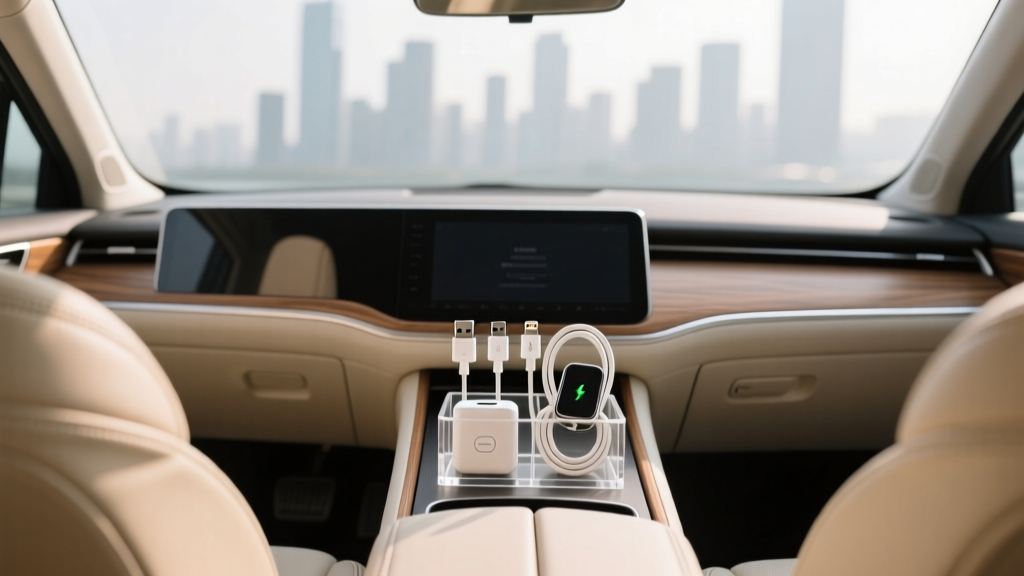
Adapter Organizer: Best Picks for Car Interiors (2026)
If you?ve ever reached into your center console to grab a phone charger and pulled out a tangled knot of cables, adapters, and random dongles, you already understand the problem. Modern cars are rolling tech hubs: phones, tablets, dash cams, GPS units, portable air compressors, jump starters, laptops for work on the go?each with its own power needs and connectors. That?s why an adapter organizer is quickly becoming one of the most underrated car interior upgrades.
A good adapter organizer keeps your charging gear sorted, protected, and easy to reach?without turning your glove box into a junk drawer. It also helps prevent wear on charging ports, reduces the chance of leaving expensive adapters behind, and keeps your cabin looking clean. Whether you drive a daily commuter, a family SUV, or a weekend track toy, the right organizer can save time and frustration every single day.
This guide breaks down the types of adapter organizers, what to look for, how to set one up, and the most common mistakes that make ?organized? turn into ?still messy.?
What Is an Adapter Organizer (and Why Car Owners Need One)?
An adapter organizer is a storage solution designed to hold small tech accessories in a tidy, protected, and accessible way. In the car interior context, that usually means:
- USB-A and USB-C cables
- 12V adapters (cigarette lighter chargers)
- Multi-port car chargers
- Lightning, USB-C, and micro-USB tips
- SD cards, USB drives, and small dongles
- Dash cam adapters and spare fuses
- Compact wall chargers (for road trips)
Why it matters in a vehicle:
- Faster access: You can grab the right cable at a stop without digging.
- Less clutter: A tidy center console and glove box feels more premium.
- Protection: Adapters don?t get crushed under manuals, napkins, or tools.
- Safety: Loose items sliding around can distract you or wedge under seats.
- Reduced wear: Keeping cables coiled properly reduces fraying and bent connectors.
Types of Adapter Organizers for Cars
1) Pouch-Style Tech Organizers (Zippered)
These are compact cases with elastic loops, mesh pockets, and zip compartments. They?re ideal for glove boxes and seat-back pockets.
- Best for: Road trips, multi-device families, keeping everything in one ?tech kit.?
- Pros: Excellent organization, protects gear, portable.
- Cons: Can be slower to open/close while parked; not great for daily grab-and-go if buried.
2) Console Caddies and Insert Organizers
These drop into a center console or armrest bin and create divided sections for cables and adapters.
- Best for: Daily drivers who charge phones constantly.
- Pros: Instant access; keeps items from migrating to the bottom.
- Cons: Fit can be vehicle-specific; cheap versions can rattle.
3) Visor or Seat-Back Storage (Tech Pockets)
These hang off the back of a seat or clip to a visor, offering quick access to cables, wipes, and small accessories.
- Best for: Families, rideshare drivers, road-trip setups.
- Pros: Easy access for passengers; reduces console clutter.
- Cons: Can look busy if overfilled; some interfere with airbags if placed improperly.
4) Magnetic Cable Clips and Cable Management Kits
Not a ?case,? but extremely effective: adhesive-backed clips, magnetic holders, and cable wraps keep connectors exactly where you want them.
- Best for: People who hate loose cables draped across the console.
- Pros: Clean look; reduces cable strain; very affordable.
- Cons: Adhesives can fail in heat if low quality; placement takes planning.
5) Glove Box Organizers (Rigid or Semi-Rigid)
These compartmentalize a glove box so adapters don?t disappear under papers.
- Best for: Drivers who prefer a minimalist cabin and store tech out of sight.
- Pros: Keeps cabin clean; prevents crushed cables.
- Cons: Less convenient for frequent charging changes.
Key Features to Look For When Buying
Size and Capacity (Match Your Real Carry)
Buy for what you actually use weekly, not what you might use once a year. If you only run one USB-C cable and a 12V charger, a bulky case becomes wasted space.
- Minimal setup: 1?2 cables, 1 car charger, 1 spare adapter
- Family setup: 3?5 cables, multi-port charger, tablet cable, spare tips
- Power-user setup: cables + SSD/USB drives + dongles + dash cam accessories
Material Quality (Heat Matters in Cars)
Cabins get hot. Cheap plastics warp, weak adhesives fail, and thin fabrics tear. Look for:
- Heat-resistant materials: EVA, sturdy polyester/nylon, silicone cable holders
- Durable zippers: smooth track, reinforced stitching
- Easy-clean surfaces: dark fabric or wipeable exterior
Compartment Design
Great organizers separate ?tiny and losable? from ?bulky and used daily.? Helpful elements include:
- Elastic loops for cables and adapters
- Mesh zip pocket for small tips (USB-C to USB-A, Lightning to USB-C, etc.)
- Dedicated slot for a 12V charger so it doesn?t scratch other items
- Label area or color-coded sections (especially for families)
Noise and Rattle Control
A common complaint with console organizers is rattling over rough roads. Look for organizers with:
- Rubberized bases or felt lining
- Snug fit or adjustable dividers
- Soft compartments that keep adapters from clanking together
Safety and Placement
Don?t mount storage in areas that can interfere with airbags or driving controls.
- Avoid bulky seat-back organizers that block rear passenger airbags (if equipped)
- Keep cables away from pedals and steering column
- Don?t overload the visor with heavy pouches that obstruct visibility
How to Choose the Right Adapter Organizer for Your Car
Step 1: Do a Quick ?Tech Inventory?
Grab everything currently living in your console/glove box and sort into three piles:
- Daily-use: primary phone cable, main car charger
- Weekly/occasional: extra USB-C cable, passenger cable, aux dongle
- Emergency/rare: spare fuses, backup battery cable, SD card reader
Step 2: Decide Where It Should Live
- Center console: best for daily-use charging
- Glove box: best for backup adapters and ?travel tech kit?
- Seat-back: best for families and passengers
Step 3: Match Organizer Type to Your Habits
- If you swap cables often: console insert + cable clips
- If you want everything hidden: glove box organizer or zip pouch
- If passengers constantly ask for chargers: seat-back organizer
Step 4: Measure the Space (Yes, Really)
Before ordering, measure:
- Center console bin length/width/depth
- Glove box usable depth (some are shallow at the back)
- Seat-back strap clearance (headrest posts, if applicable)
Step-by-Step Setup: Organize Your Car Adapters Like a Pro
- Clean the area first. Vacuum crumbs and wipe surfaces so organizers sit flat and adhesives stick.
- Assign ?zones.? Keep charging items together; keep non-tech (coins, pens, napkins) elsewhere.
- Coil cables correctly. Use a loose over-under coil or simple loop and secure with a Velcro tie. Avoid tight bends at the connector.
- Use labeled mini pouches for tiny adapters. A small zip pocket for USB-C adapters prevents losing them in seconds.
- Keep one cable accessible. Route your primary cable to a convenient spot using cable clips so it?s always ready.
- Store spares out of the way. Backup cables and travel chargers go in the glove box pouch.
- Do a ?rattle test.? Take a short drive on a rough road. If it rattles, add a thin felt pad or rearrange items.
Real-world example: A daily commuter with Android Auto might keep a short USB-C cable clipped near the infotainment port, a dual-port 12V charger in the console tray, and a spare Lightning cable in a glove box pouch for passengers. Result: no loose cables sliding into cupholders, and no frantic searching at a stoplight.
Product Recommendations and Smart Comparisons
Rather than pushing a single ?best? product, here are practical combos that work for most vehicles and budgets. Look for these features when shopping.
Best Everyday Setup (Minimalist Daily Driver)
- Console insert organizer with 3?6 compartments and a non-slip base
- 2?4 magnetic cable clips for your primary charging cable
Why it works: Your main cable stays put, and your console stays clean without a bulky case.
Best Family/Road Trip Setup (Multiple Devices)
- Zippered tech pouch with elastic loops + mesh zip pocket
- Multi-port USB car charger (USB-C + USB-A) stored in a dedicated slot
- Seat-back organizer if passengers routinely charge devices
Why it works: Everything has a home, and the pouch can move from car to hotel easily.
Best for Enthusiasts and Power Users (Dash Cam + Accessories)
- Semi-rigid EVA tech case for protection
- Small parts section for SD cards, USB drives, dongles
- Heat-tolerant cable ties to prevent connector strain
Why it works: Protects sensitive items and keeps tiny components from disappearing under seat rails.
Common Mistakes to Avoid
- Buying too large. Oversized organizers encourage you to hoard junk and waste console space.
- Mixing tech with everything else. Coins and keys scratch adapters; snack crumbs clog zippers.
- Ignoring heat. Low-quality adhesive cable clips can fall off in summer, leaving cables dangling.
- Storing cables with tight bends. The most common failure point is right behind the connector.
- Placing organizers in unsafe spots. Avoid blocking airbags, vents, or driver controls.
- Forgetting a ?primary cable.? If your main cable isn?t always accessible, you?ll revert to tossing it anywhere.
Practical Tips for Keeping It Organized Long-Term
- Use a two-cable rule: one primary cable in reach, one spare stored away.
- Standardize when possible: switching most devices to USB-C reduces adapter clutter.
- Do a monthly 2-minute reset: toss broken cables, remove receipts, re-coil.
- Keep a tiny ?adapter capsule?: one small pouch for USB-C to Lightning, USB-A to USB-C, and a SIM tool (if you travel).
- Pick darker colors: black/charcoal organizers hide scuffs and stains better in daily use.
FAQ: Adapter Organizers for Car Interiors
What size adapter organizer should I get for my car?
For most drivers, a small console organizer or compact zip pouch is enough?something that holds 2?4 cables, a car charger, and a few small adapters. If you regularly carry tablet cables, dash cam accessories, or travel chargers, step up to a medium pouch with multiple compartments.
Where?s the best place to store charging cables in a car?
Keep your primary cable in the center console or clipped near the infotainment USB port for daily use. Store spares in the glove box in a zip pouch so they stay clean and don?t tangle.
Do magnetic cable clips damage charging cables?
Quality magnetic clips won?t damage cables when used normally. The bigger risk is crimping the cable with sharp bends or slamming it in a console lid. Choose clips with smooth contact surfaces and avoid placing them where the cable gets pinched.
How do I stop my console organizer from rattling?
Look for a non-slip base or add thin adhesive felt to contact points. Also separate hard adapters so they aren?t clanking together?mesh pockets and elastic loops help a lot.
Are universal console organizers worth it, or should I buy vehicle-specific?
Vehicle-specific inserts usually fit better and rattle less, especially in deep consoles. Universal organizers can work well if they have adjustable dividers and a grippy base?just measure your console first.
What should I keep in a car ?tech kit? for emergencies?
A solid emergency kit includes a spare charging cable, a 12V USB charger, a USB-C adapter (if needed), a small flashlight, and a spare fuse set for your vehicle. Keep it in a glove box pouch so it?s always in the same place.
Conclusion: Your Next Steps
Start by pulling every cable and adapter out of your console and glove box, then decide what you actually use. Choose an organizer that matches your habits?console access for daily charging, a zip pouch for travel gear, and cable clips for a cleaner look. Set it up once, do a quick monthly reset, and your car interior stays tidy without effort.
If you?re upgrading your cabin organization one step at a time, explore more practical car interior guides on carinteriormix.com for storage ideas, detailing tips, and smart accessories that make every drive feel more sorted.